This was the area of migrating to Linux I was really not sure about. Spoiler: It’s fine – with caveats.
I’d already tried Linux gaming on this computer in the bedroom and had reasonable results, given the age and capacity of the hardware. Even so, trying to run the oldest games, like Bioshock, was painful at times.
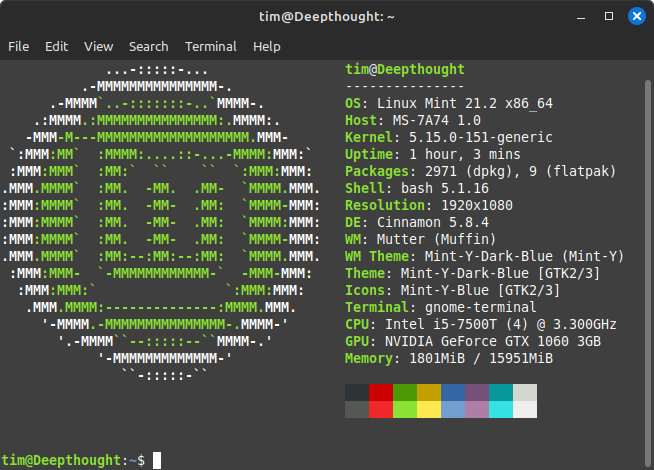
I had a bad experience trying to get Skyrim to run on this computer. It kept CTDing using Proton, so I eventually gave up on it. At the time the computer had 8GB RAM, not the 16GB shown in the Neofetch report below.

Strangely enough, when I installed Fallout 4 I got much better results. So much so that I was able to start a new playthrough and get to the end of Act 1, albeit with some issues I’ll touch on below.
Having discovered that Linux gaming was somewhat practical, I was faced with a problem. My Steam installation was split between 2 folders on my main computer (CSIRAC) and the system drive was pretty full. Plus I thought that there was no way to transfer the files from a Windows installation to a Linux installation on the same computer.
Turns out, there was, but I only discovered the trick after going through a laborious process I’ll describe below.
No, that wasn’t the real problem. The real problem was that I had discovered that Linux uses more memory to run PC games that Windows. On this hardware I had no problems running Fallout 4 in Windows but in Linux, the game kept crashing. I ran System Monitor while playing Fallout 4 and confirmed that the crashes occurred because the computer used up all available RAM and swap memory.
So I increased the swap file, but that still didn’t help. Fallout 4 would still crash with 60% swap utilisation.
At the same time I was having similar issues with CSIRAC, although that was when using Stable Diffusion under Linux, and in that case it was using up 16GB. More importantly I wanted to migrate my Linux installation from an external drive to an SSD. I didn’t want to wipe the Windows installation yet because I was not certain whether I’d still need it to run games like Baldur’s Gate 3.
Bla, bla, bla in the end I decided to purchase a new NVMe drive for CSIRAC, because it had a spare V4 slot as well as a 32GB memory kit.
Well that cost me $250ish. It wasn’t that much, but close to, once you added shipping. The good thing is, I was able to give CSIRAC a memory boost that actually clocks to 3200MHz and hand-me-down the 16GB kit that never ran properly at its rated speed to Deepthought, which won’t clock that fast anyway. Win-win all round.
Then came the task of migrating the OS to the new drive. To do this I used FoxClone and that did the job really simply.
So now CSIRAC had a Linux OS on the new NVMe drive, 32GB memory and an increasingly nervous Windows installation on the older Gen 3 NVMe. It was time to transfer those games.
Originally written 30 July 2025